If you’re thinking about switching to Freeview, or you already use it but want to understand exactly what you’re getting, the question about how many channels are available usually comes up quite quickly, but the answer is not as straightforward as a single number because what you receive depends on a mix of location, signal strength, and the equipment you’re using at home, which means the experience can feel slightly different from one household to another even within the same area.
In simple terms, Freeview gives you access to a large range of channels without any monthly subscription, but the real value comes from how those channels fit into your daily viewing habits rather than just how many there are on paper, so it makes more sense to break this down properly so you can see what you’ll actually get and how to make the most of it.
How many channels are on Freeview right now?
Across the UK, Freeview typically offers more than 70 standard definition TV channels, around 15 or more HD channels, and over 30 radio stations, which brings the total comfortably above 100 when everything is included, but that headline number should be seen as a maximum rather than a guarantee because your home setup determines how many of those channels you can actually access on a day-to-day basis.
What this means in practice is that when you scroll through your TV guide, the list you see has already been filtered by what your aerial can pick up reliably, so while Freeview as a platform provides a wide range of content, your personal channel count reflects your signal conditions rather than a fixed national list that everyone receives equally.
Why does the number of Freeview channels vary by location?
Freeview works through terrestrial broadcasting, which means signals are transmitted from local masts and then received through your aerial, and these signals are grouped into what are known as multiplexes, each carrying multiple channels, so if your home receives all available multiplexes, you get the full range, but if some of those signals are weaker or blocked, certain groups of channels simply won’t appear in your lineup.
This is why two properties that are relatively close to each other can still show slightly different channel lists, because small differences in aerial positioning, building structure, or surrounding obstacles can affect signal strength enough to change what gets picked up, and once you understand that, it becomes much easier to see why the advertised number of channels doesn’t always match what you personally experience.
What main TV channels can you expect on Freeview?
Even if your signal is not perfect, Freeview is designed so that the most important channels remain widely available, which means you will almost always receive the core UK broadcasters that most people rely on for everyday viewing, and these form the foundation of the entire service because they carry the bulk of mainstream programming across news, entertainment, and general television.
These typically include:
- BBC One
- BBC Two
- ITV1
- Channel 4
- Channel 5
Because these channels are prioritised in broadcasting, they tend to remain stable even in areas where signal strength is not ideal, which makes Freeview a reliable option if your main goal is to access familiar UK television without needing to pay for additional services or manage multiple subscriptions.
What extra channels does Freeview include beyond the basics?
As your signal improves and more multiplexes become available, the number of channels expands quite noticeably, and this is where Freeview starts to feel much more like a complete TV service rather than a basic setup, because you begin to see a broader mix of entertainment, news, film, and specialist content that gives you more flexibility in what you watch.
You’ll typically start to see:
- Entertainment channels such as E4, ITV2, and Dave
- News channels including BBC News and Sky News
- Film channels like Film4
- Lifestyle channels focused on homes, food, and travel
- Children’s channels such as CBBC and CBeebies
This wider mix means you’re no longer relying on a small group of broadcasters, and instead you can move between different types of content depending on what you feel like watching at the time, which is where Freeview starts to feel more flexible and useful day to day.
As your signal improves and more multiplexes become available, the number of channels expands quite noticeably, and this is where Freeview starts to feel much more like a complete TV service rather than a basic setup, because you begin to see a broader mix of entertainment, news, film, and specialist content that gives you more flexibility in what you watch.
You’ll find channels like E4, ITV2, Dave, and Film4 appearing alongside dedicated news channels such as BBC News and Sky News, as well as lifestyle and children’s channels that add variety to your viewing, so instead of relying on a handful of main broadcasters, you gain access to a wider selection that allows you to switch between different types of content depending on your mood or routine.
How many HD channels are available on Freeview?
Freeview HD typically provides access to around 15 high-definition channels, including upgraded versions of the main UK broadcasters along with additional HD options depending on your location and signal quality, and this upgrade in picture quality often changes how you experience everyday viewing because everything looks clearer, sharper, and more detailed.
Common HD channels include:
- BBC One HD
- BBC Two HD
- ITV1 HD
- Channel 4 HD
- Channel 5 HD
To access these, you need a compatible TV or set-top box along with a properly installed aerial, and once everything is working correctly, the improvement in image quality is immediately noticeable without requiring any subscription.
What radio stations come with Freeview?
Freeview also includes a wide selection of digital radio stations, with more than 30 available through your TV, and while this feature is often overlooked, it can be surprisingly useful because it allows you to listen to music, news, or talk radio without needing a separate device, especially if you already spend a lot of time in front of your television during the day.
Once you start using these radio channels, they often become part of your routine, whether you leave them playing in the background while working or switch to them in the evening when you don’t want to actively watch something, which adds another layer of value to the overall service.
Do you get all Freeview channels with any TV?
Not every television delivers the same Freeview experience, even though most modern TVs come with Freeview built in, because the version supported by your device determines what you can access, so a standard Freeview TV will give you the basic channel list, while a Freeview HD-compatible model adds high-definition channels, and a Freeview Play device extends the experience further by integrating catch-up services directly into your programme guide.
This means two people using Freeview may have very different setups, with one limited to live broadcasts and another able to scroll back through previous programmes and watch them on demand, so it’s worth checking what your TV supports if you want to get the most out of what Freeview offers.
What is Freeview Play and does it increase channel count?
Freeview Play does not increase the number of live broadcast channels, but it does expand what you can watch by combining traditional TV with on-demand services, which allows you to go back through the programme guide and access shows you may have missed without needing a separate streaming subscription.
In practical terms, this changes how you use your TV because you are no longer limited to what is currently being broadcast, and instead, you can choose content based on your schedule, which often makes the overall experience feel much larger than the raw channel count suggests.
How can you check how many channels you receive?
The most reliable way to see how many channels you can access is to retune your TV, because during the tuning process, your television scans for all available signals and stores any channels it can receive clearly, after which you can browse through your channel list or electronic programme guide to see exactly what is available in your home.
If the number seems lower than expected, it usually points to a signal or aerial issue rather than a settings problem, so checking your setup becomes the next logical step.
Why are some Freeview channels missing?
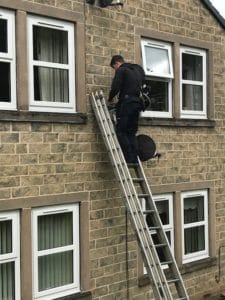
When channels are missing, there is almost always a technical explanation, and the most common causes include weak signal strength, misaligned aerials, physical obstructions such as buildings or trees, or older cables that reduce signal quality before it reaches your TV, which means the issue is rarely random and can often be improved with small adjustments.
In some cases, repositioning or upgrading your aerial can restore missing channels, while in others, improving the quality of your cabling or reducing interference can make enough of a difference to bring additional multiplexes into range.
Is Freeview enough for everyday viewing?
Whether Freeview is enough depends entirely on what you expect from your TV, because if your focus is on live television, familiar UK channels, and a mix of entertainment, news, and general programming, it usually covers those needs very well, but if you are looking for exclusive series, premium films, or live sports packages, it will not replace paid services.
That said, many households find that Freeview meets most of their daily viewing needs without requiring a subscription, especially when combined with catch-up services or occasional streaming platforms, which allows you to keep costs low while still having access to a broad range of content.
How does Freeview compare to paid TV services?
Paid TV platforms often promote the idea of hundreds of channels, but in reality, most people watch a relatively small selection on a regular basis, so Freeview focuses on providing the channels that are used most often rather than overwhelming you with options you may never explore, which can make the overall experience feel simpler and more practical.
The main advantage is that you avoid ongoing monthly fees while still accessing core UK broadcasting, but the trade-off is that you won’t get the same level of exclusive or premium content, which is why many people choose to use Freeview alongside streaming services rather than seeing it as a direct replacement.
Can you increase the number of channels on Freeview?
You cannot manually add new channels beyond what is broadcast in your area, but you can improve your setup to receive more of what is already available, and this often involves optimising your aerial position, using better quality cables, or installing a signal booster if your reception is borderline, which can result in a noticeable increase in the number of channels your TV is able to pick up.
These improvements do not change the Freeview service itself, but they can make a significant difference to how much of it you can actually access, which is why setup plays such an important role in the overall experience.
What equipment do you need for the best Freeview experience?
To get the most from Freeview, you need a reliable aerial that is correctly positioned, a modern television or set-top box that supports the features you want to use, and a stable connection between them, because if any of these elements fall short, your channel count and picture quality can suffer even if the broadcast signal in your area is strong.
When everything is working properly, Freeview feels smooth and consistent, and the channel list reflects the full potential of what is available in your location.
Does weather affect Freeview channels?
Weather can affect Freeview signals in certain conditions, particularly during heavy rain or unusual atmospheric changes, which may cause temporary disruptions such as pixelation or brief channel loss, but these effects usually resolve once conditions return to normal and are not a sign of a long-term issue.
If problems persist beyond short periods of bad weather, it is more likely that your aerial or signal setup needs attention rather than the weather being the underlying cause.
How often do Freeview channels change?
The Freeview channel lineup does change over time as new channels are introduced and others are removed or repositioned, and when these updates happen, you may need to retune your TV to ensure your channel list stays current, although these changes are not constant and tend to occur periodically rather than frequently.
What does all this mean for you?
When you look at Freeview as a whole, the headline figure of over 100 channels gives you a general idea of what is possible, but your actual experience depends on how well your setup allows you to receive those channels, which means the number itself is less important than how those channels fit into your daily routine and viewing preferences.
If you want a straightforward way to watch TV without paying a monthly fee, Freeview delivers a reliable and familiar set of channels that covers most everyday needs, and once you understand how signal, equipment, and location affect what you receive, you can make small adjustments that improve your setup without adding ongoing costs, which is where the real value of Freeview becomes clear.